Sutra Labs product

Cohort HRMS — an AI-powered HRMS for every part of people operations.
Hiring, leave, payroll, policies, projects and assets — connected, permission-controlled, and answerable by an AI assistant that never sends your data anywhere.

See it in action
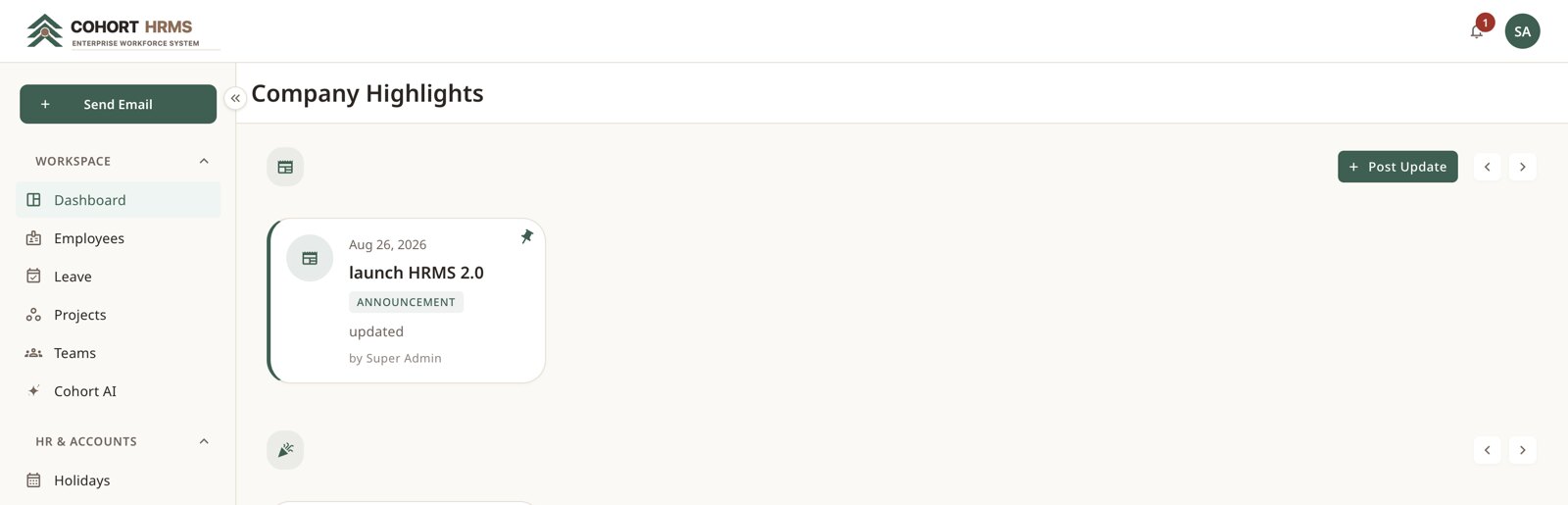
Company highlights — announcements, events and celebrations in one feed.
13
Functional modules
15
Preset job roles
65
Granular permissions
220+
API operations

The problem

HR data scattered across spreadsheets, drives and inboxes. Approvals lost in email. No reliable answer to who reports to whom, how much leave is left, or who has that laptop.

The approach

One connected system with a single employee record at its centre. Leave, payroll, documents, projects and devices all hang off that record and stay in sync.

The outcome

Requests are approved in-app and logged. Documents are where people expect them. Reminders go out on their own. And nobody sees a salary they should not see.

What it covers

Thirteen modules, one employee record.

One record per person

Department, reporting line, documents, leave and pay — all hanging off a single employee record that stays in sync.

Leave without the email trail

Request, approve and track every kind of leave in one place, with balances that update themselves.

Hire end to end

Post a role, collect referrals, run interview rounds, send the offer, onboard the hire — without leaving the system.

Payslips in one click

Build the salary structure once, then generate and email the whole company's payslips each month.

Policies people actually sign

Versioned, targeted, and — when it matters — required before the portal opens.

Your org chart, always current

Drawn live from reporting lines, so it can never drift out of date.

Know where every laptop is

A full asset register with assignment history, condition and status.

Permissions that go three ways

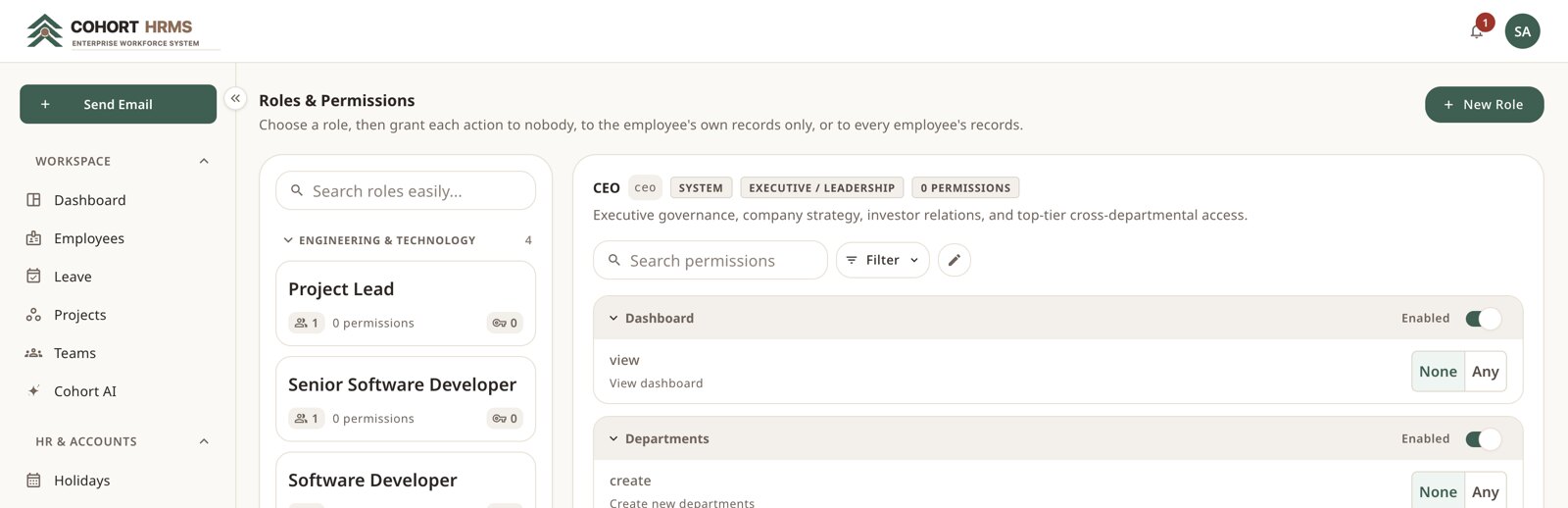
Grant each action to nobody, to a person's own records, or to everyone — per role.

A private AI assistant

It books leave, fetches payslips and reads your policies — running entirely on your own servers.

Deep dive · people

The directory is the system.
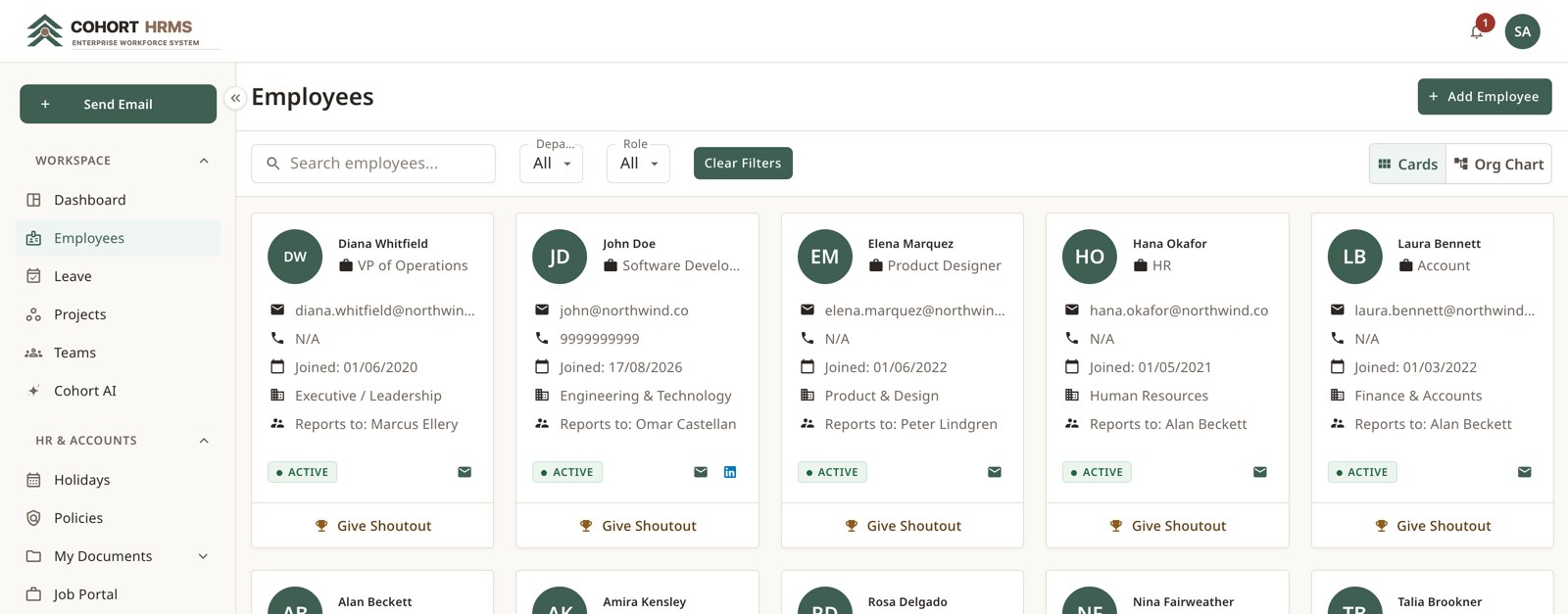
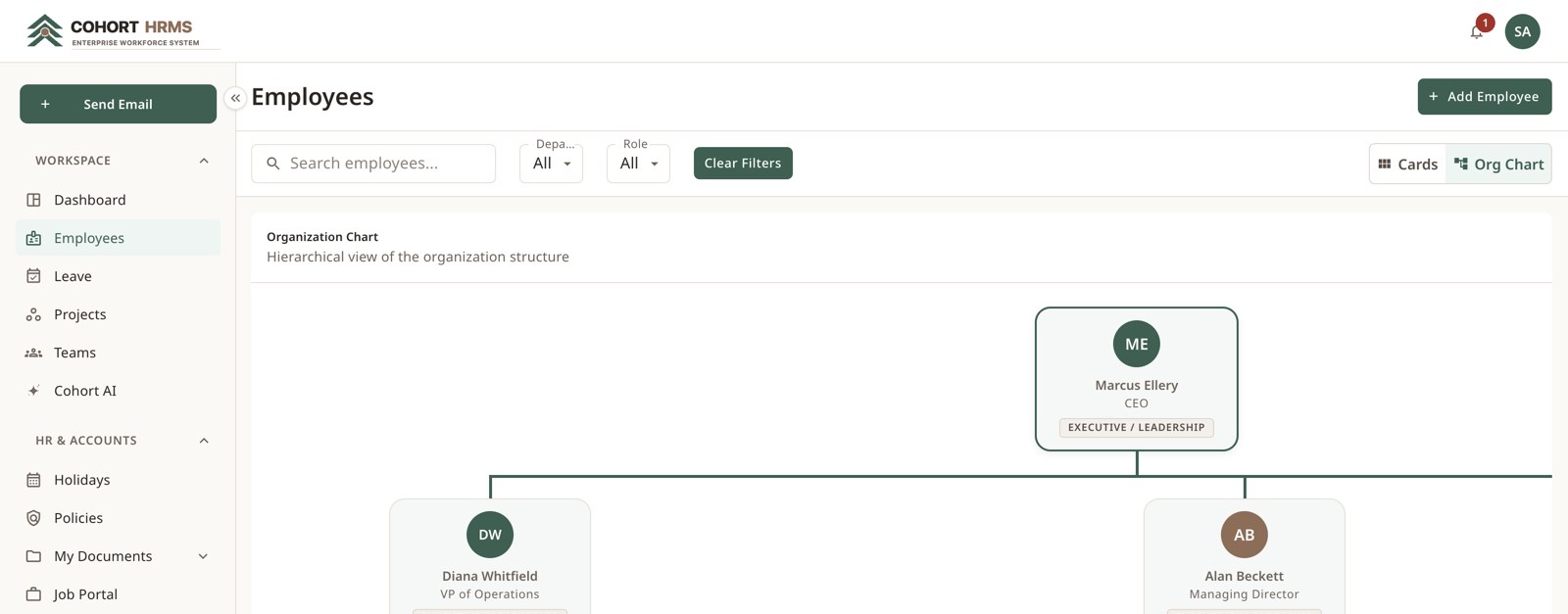
Every person has one record carrying department, reporting line, employment type, joining date and contacts — and every other module reads from it. Reporting lines are drawn automatically as a live organisation chart, so it can never drift out of date.

Employee directory — filterable by department, role and status.
Organisation chart — generated live from reporting relationships.

Deep dive · leave

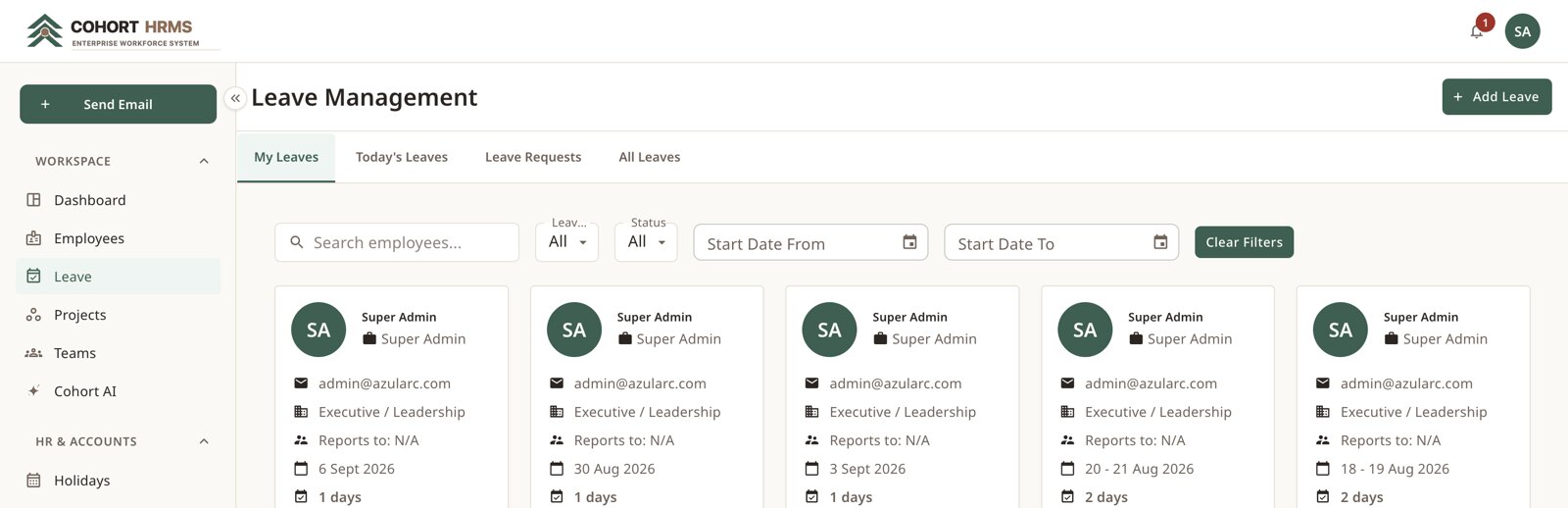
Request, approve, and the balance updates itself.

Approve in place

Managers approve or reject from the same card, with a reason recorded on rejection.

Balances that update

Entitlements are tracked per type, per year, and reflect approved leave immediately.

The team is told

A daily reminder tells colleagues who is away tomorrow — by email and in-app.

Leave management — type, dates, duration and status, with approval actions inline.

Projects & teams

Allocation and delivery, side by side.
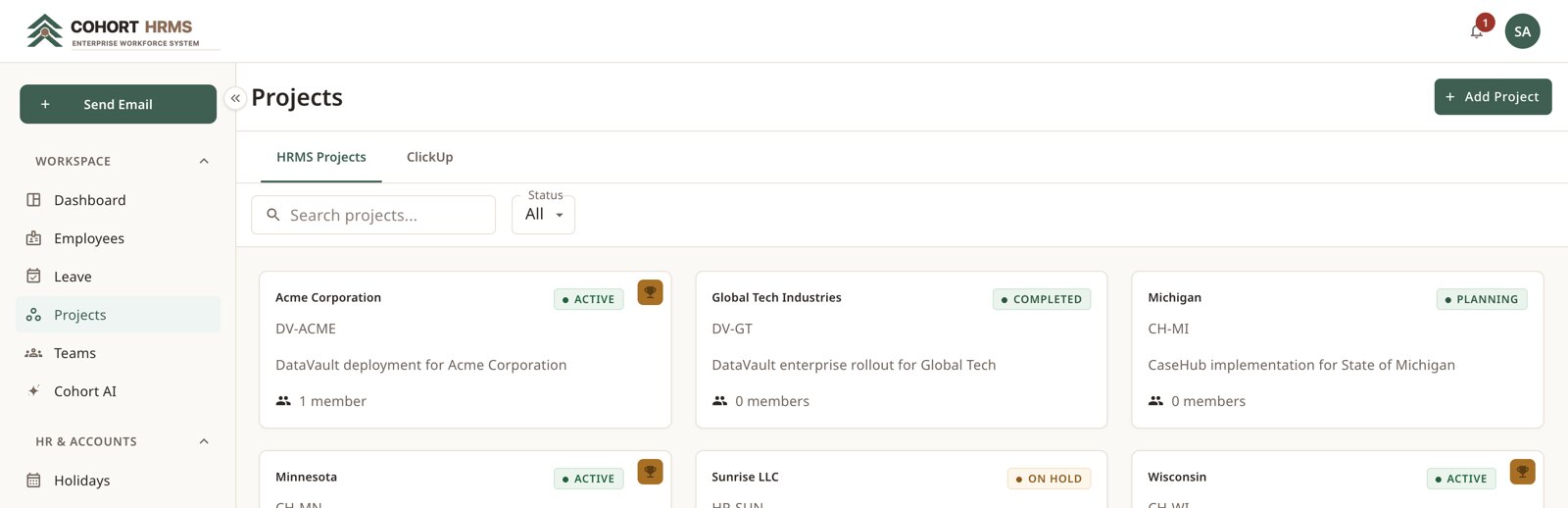
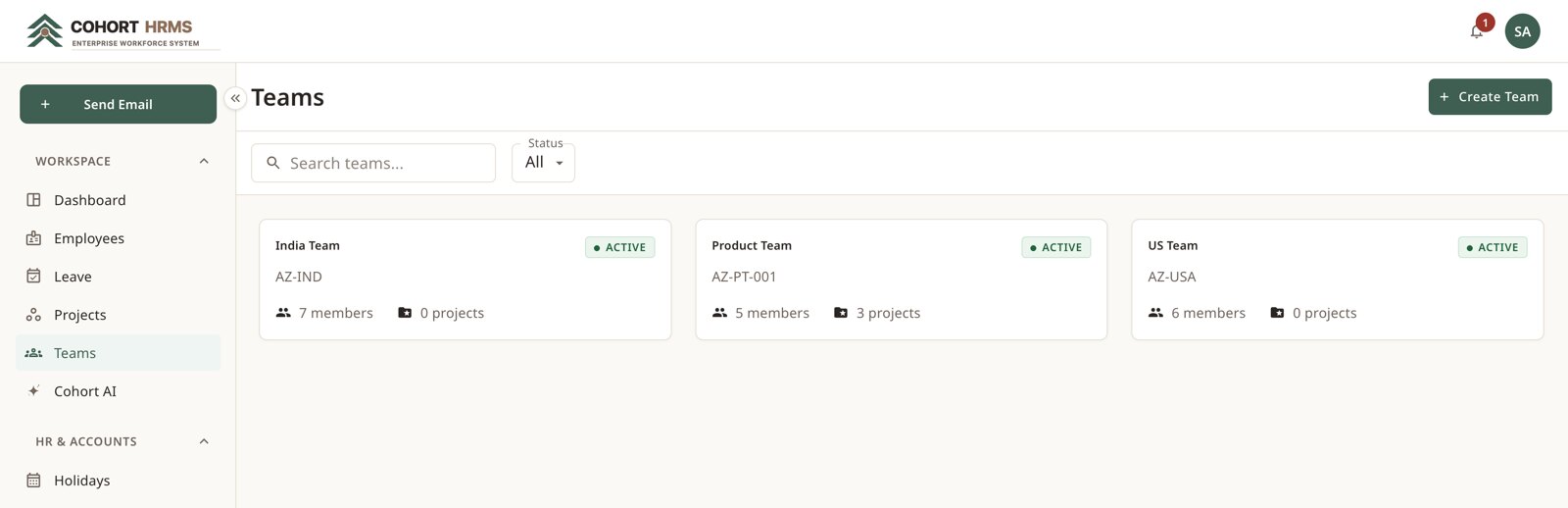
Track every client engagement with its own code, status and member list — with a second tab pulling live task data from ClickUp. Teams group people into standing units with a lead, and double as an audience for policies and announcements.

Projects — status, project code and allocated headcount.
Teams — leads, members and the projects they own.

Deep dive · hiring

From approved role to first day.

Post

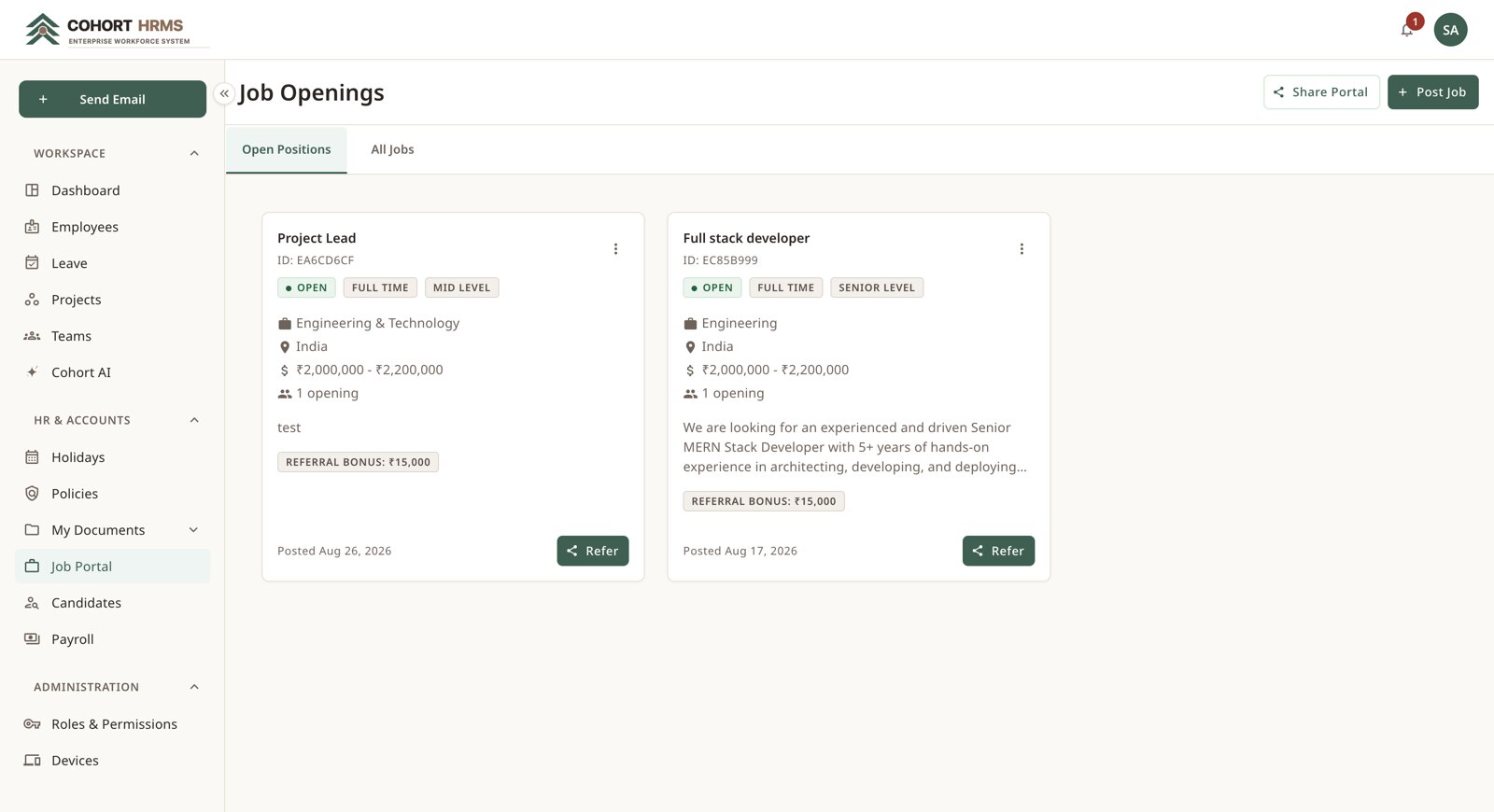
Create the opening with department, location, type, experience level, salary band, positions and referral bonus.

Attract

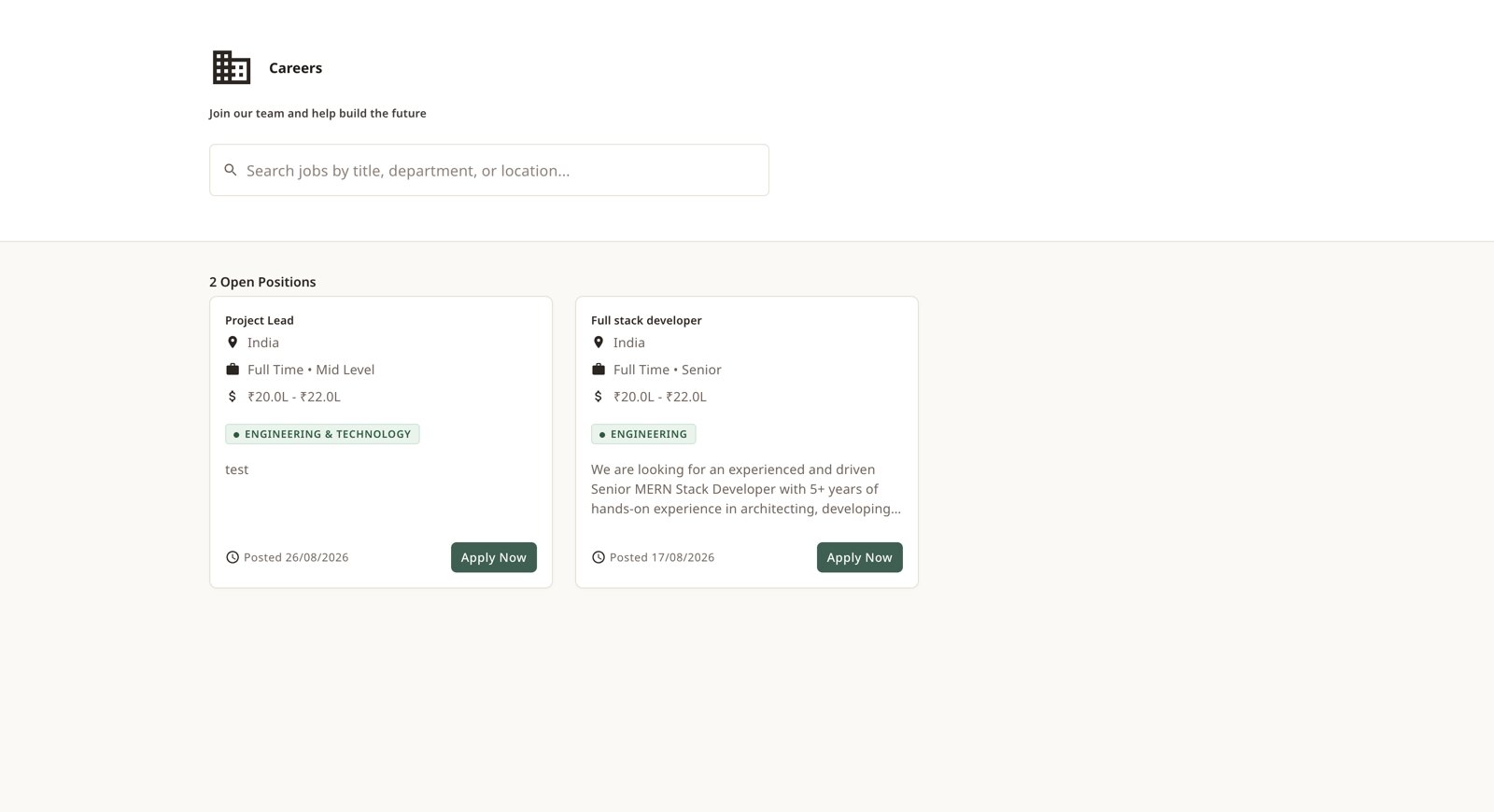
The role appears instantly on a public careers page candidates can browse and apply to.

Refer

Any employee can refer a candidate, upload their résumé and follow that referral's progress.

Interview

Define rounds per role, assign interviewers, and record status and feedback at each step.

Offer

Generate an offer letter and send it as a secure private link. Status updates on acceptance.

Onboard

Convert an accepted candidate into a full employee record — the hiring history stays attached.

Job portal — salary band, level and referral bonus.
Public careers page — no login required.
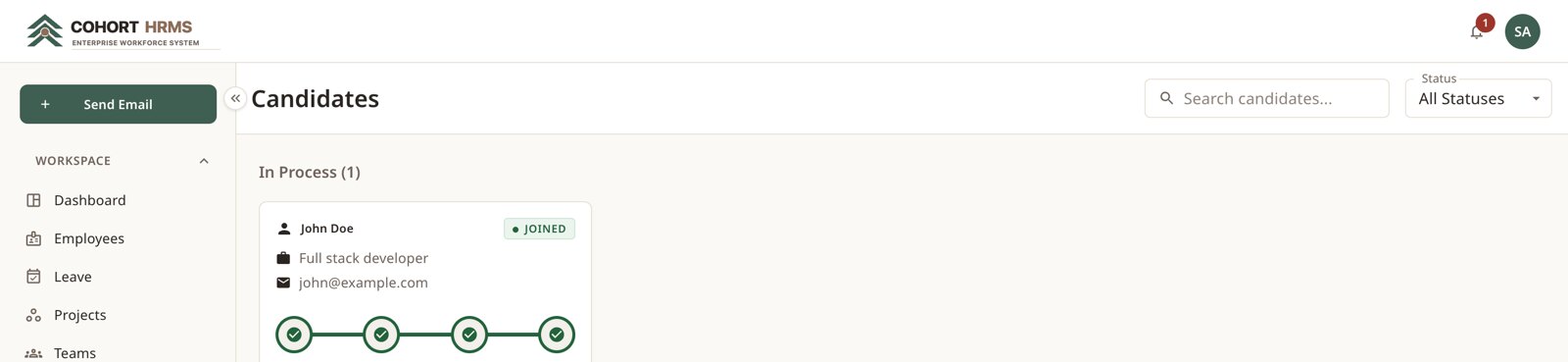
Candidate pipeline — progress through interview rounds.

Cohort AI

Ask your HR system anything. The answer never leaves the building.

A compact language model running on your own server reads the question, decides which part of the system to consult, and answers from live data — booking leave, fetching payslips and reading your policies without a single record leaving your network.

It respects permissions

The assistant can only ever see what the person asking is allowed to see.

It asks before acting

Anything that changes a record is confirmed with the employee first.

Every action is logged

AI actions are written to their own log with the outcome recorded.
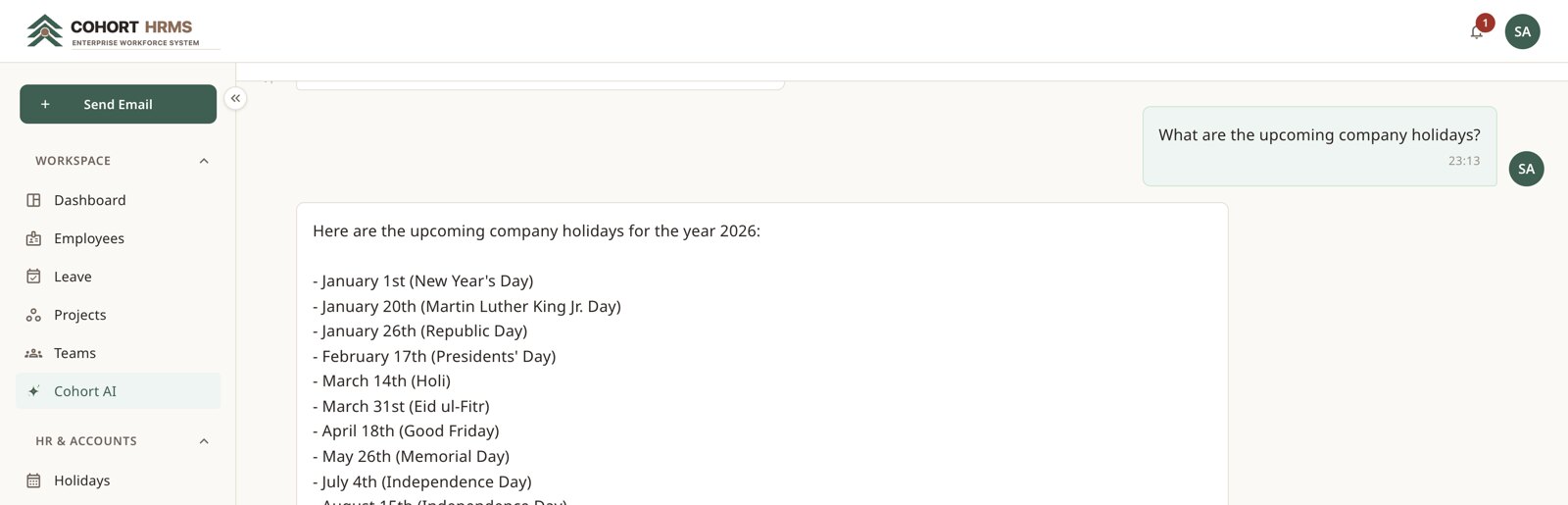
Cohort AI answering a question from the company's own holiday calendar
Cohort AI — a real answer from the running system, queried from the company's own holiday calendar.

Security & governance

Seeing something is the exception, not the default.

None

The action is invisible — the button never renders and the endpoint refuses.

Own

The person can act on their own records only, and nobody else's.

Any

Full scope across the company, granted deliberately per role.

Roles & permissions — module switches and per-action scopes.
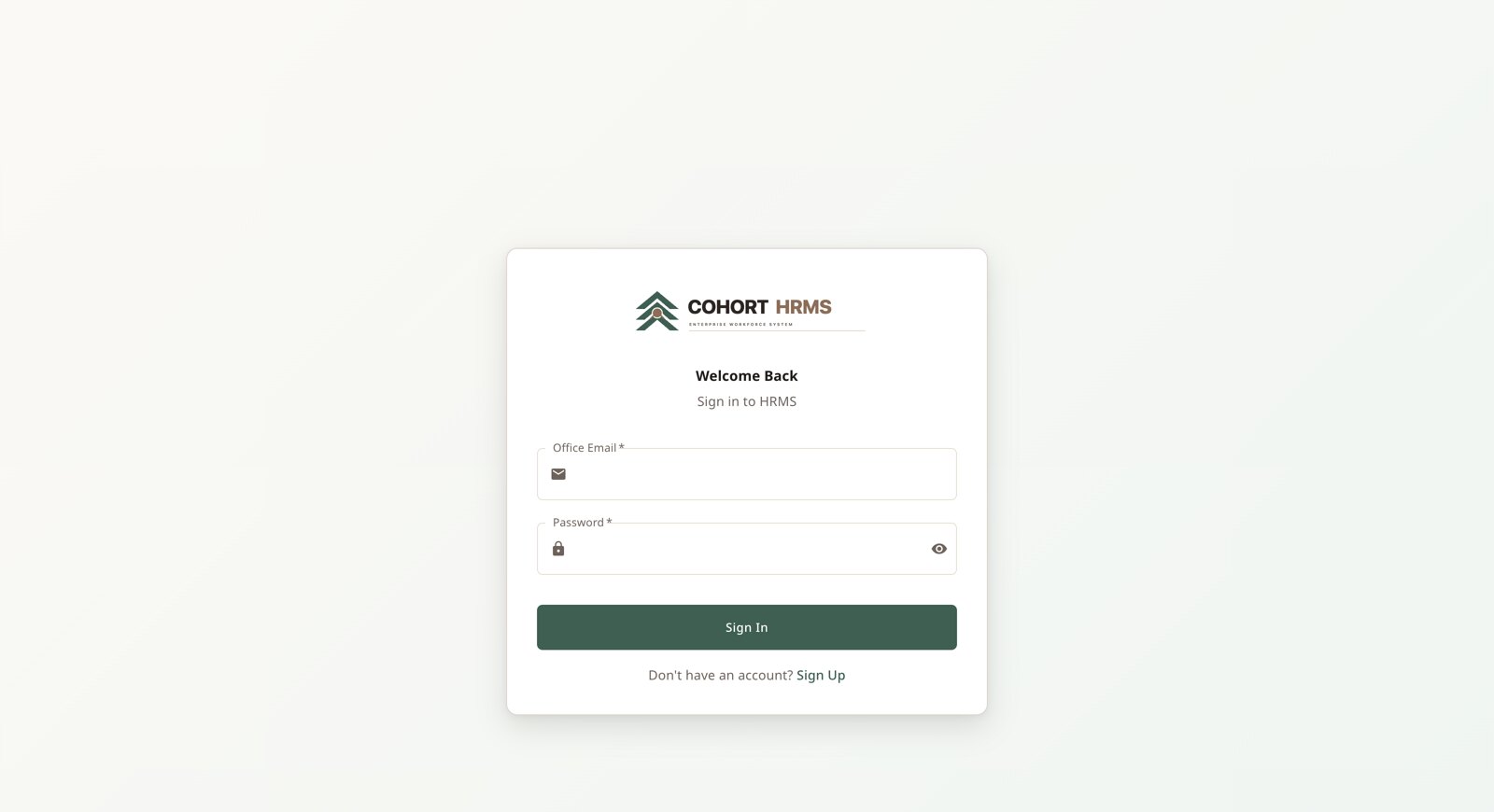
Sign in — office email as the identity, with token-based sessions.

Payroll, policies & documents

Generate once. Filed forever.
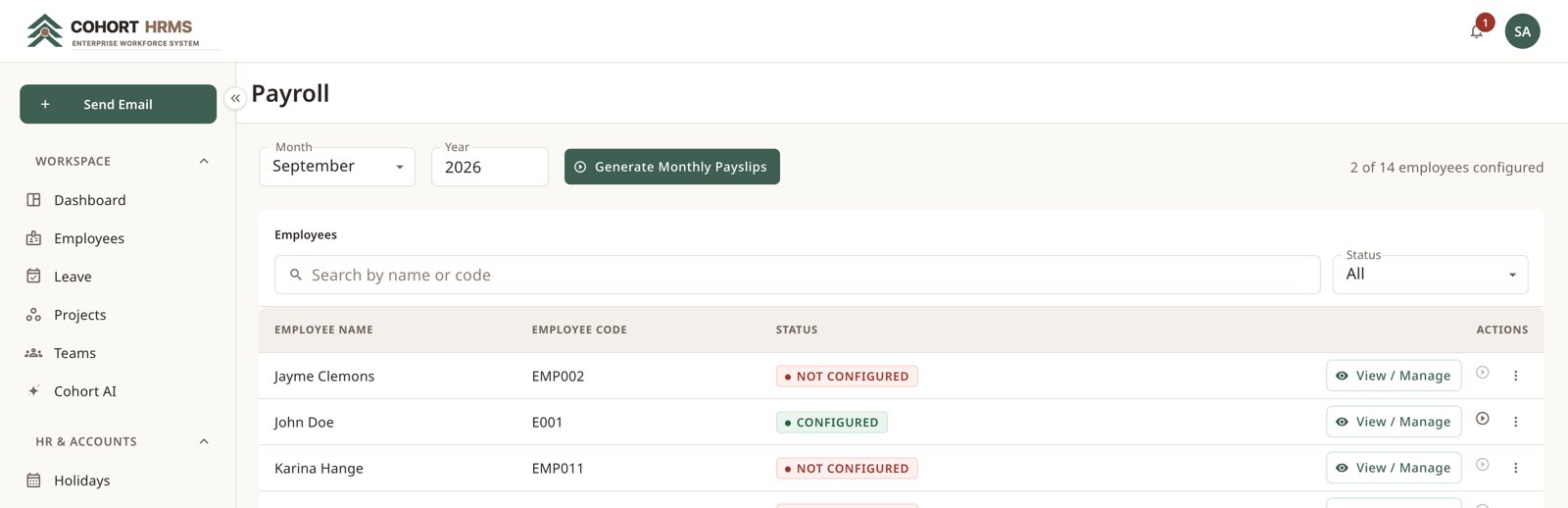
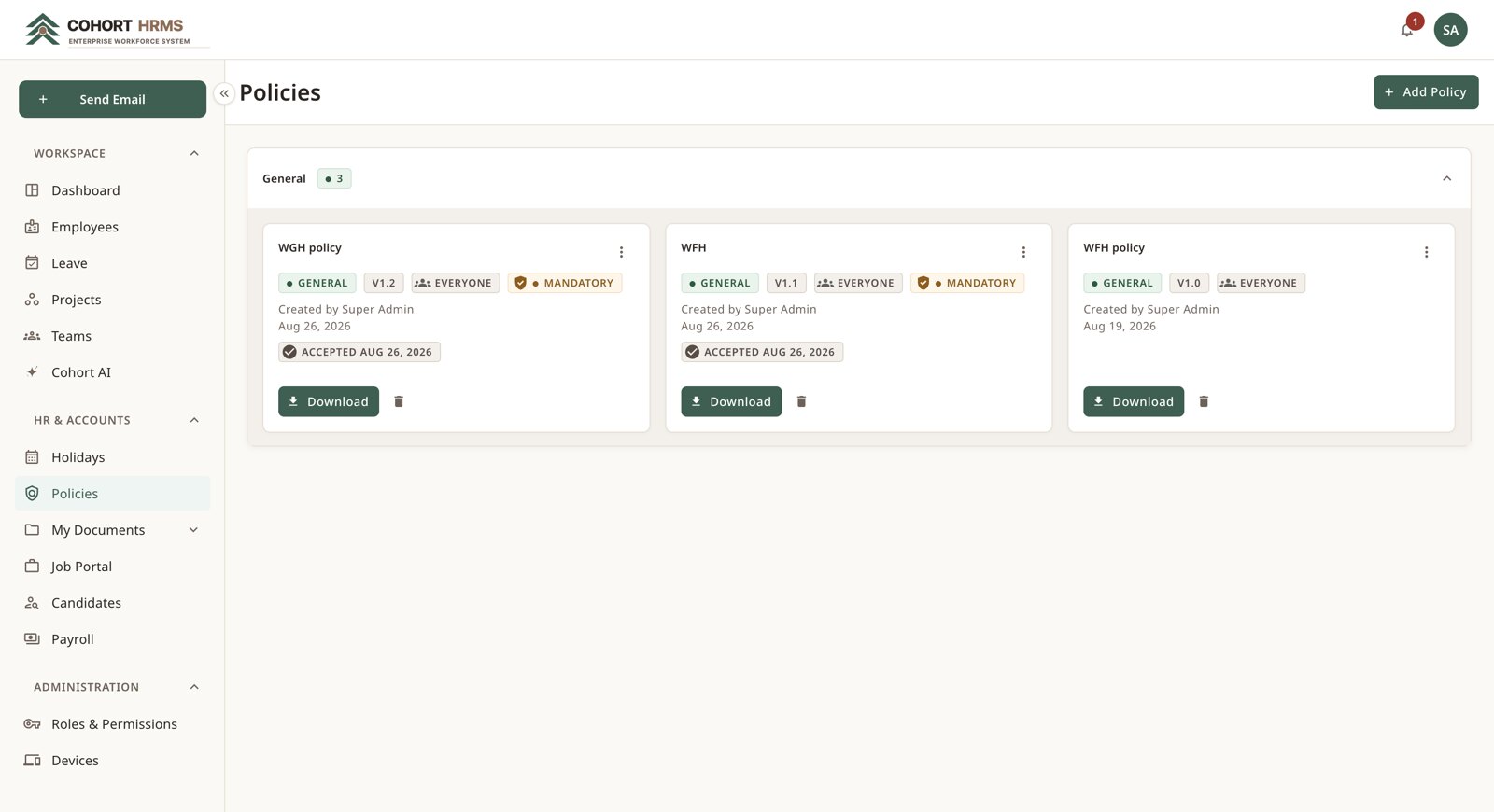
Define a salary structure per employee, then generate the whole company's payslips in a single action — each one a PDF emailed to the employee and filed in their own document area. Policies are versioned, targeted and, when mandatory, required before the portal opens.

Payroll — per-employee status and one-click monthly generation.
Policies — version, audience, mandatory flag and acceptance date.
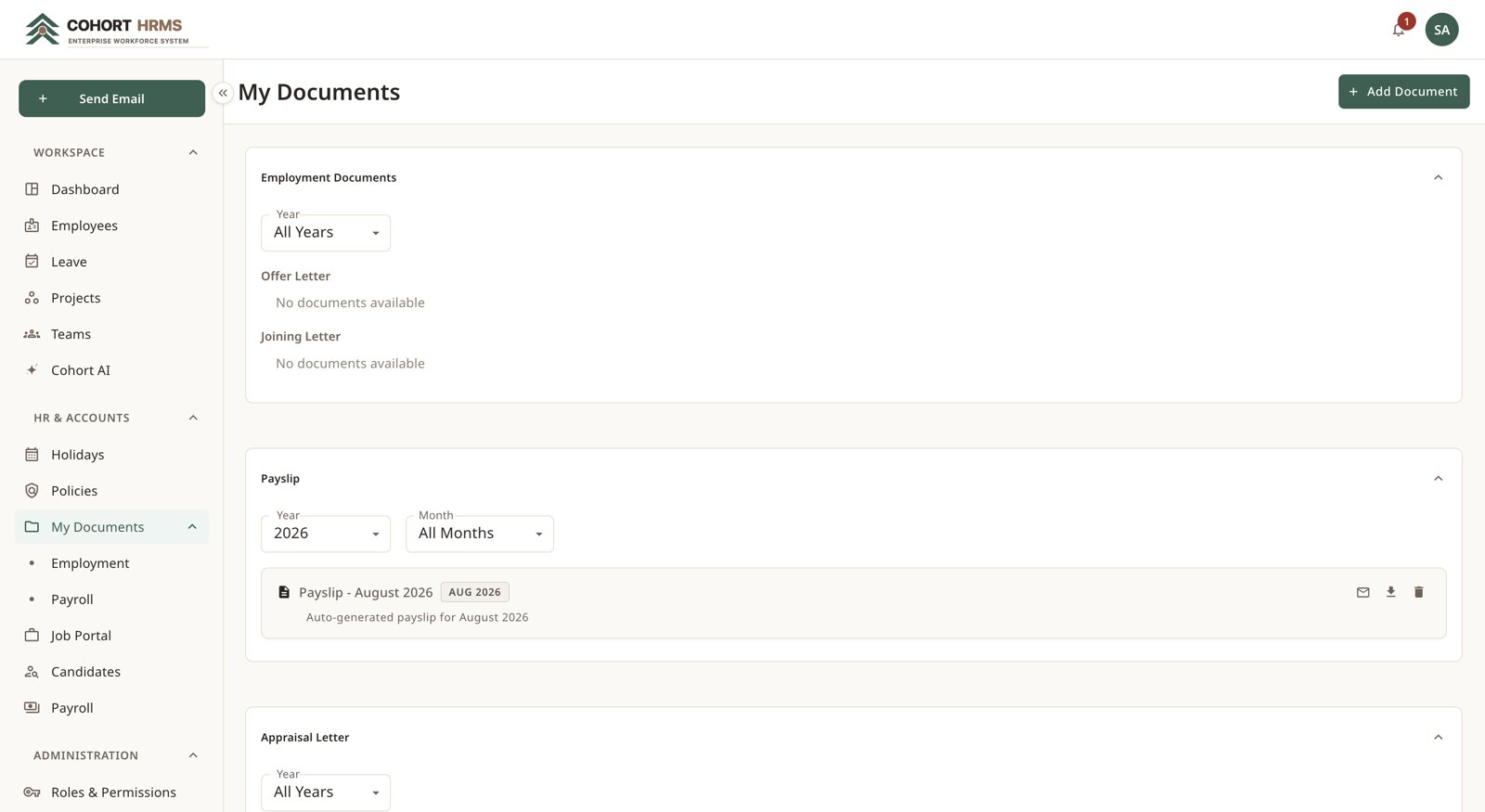
My documents — offer letters, payslips and appraisals by year.

Automation

It tells people things without being asked.

Live notifications
Approvals, announcements and shout-outs appear instantly — no refresh needed.
Leave reminders
Once a day, colleagues are told who is away from tomorrow, by email and in-app.
Birthday wishes
Two mails each morning: one to the person, one to everyone else.
Event reminders
Three, two and one day before — only where the organiser asked for them.
Company mail
Announcements emailed to everyone, selected teams, or named people, from inside the app.

Time-zone aware — reminders fire against the office's own calendar day, not the server's clock.

Device & asset register

Know where every laptop is.
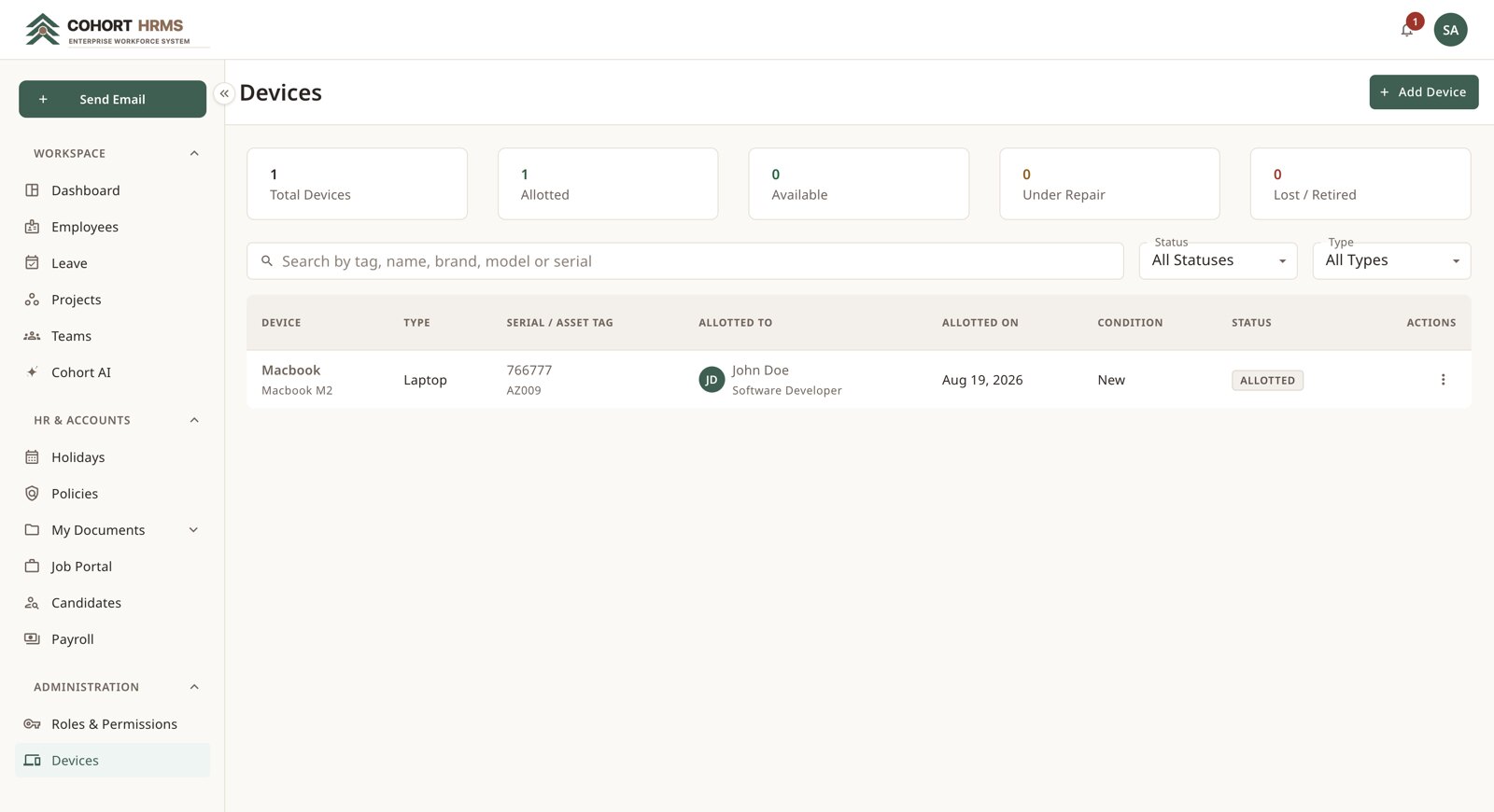
Laptops, phones, monitors and accessories tracked from purchase to retirement — who has what, since when, in what condition, with the full assignment history per device.

Devices — live counts by status, with the register searchable below.

Built on mainstream, well-supported technology — chosen so the platform stays fast today and maintainable for years.

  • React 19
  • TypeScript
  • NestJS
  • PostgreSQL
  • MongoDB
  • Docker
  • Self-hosted AI runtime

Questions worth answering

Where does our data live?

On your infrastructure. Cohort HRMS is designed to be self-hosted, and the AI assistant runs on your own hardware — no third-party AI service is involved.

Can we stop managers seeing salaries?

Yes. Payroll is a separate module that can be switched off per role, and within it each action is granted at three levels.

Do we have to use all of it?

No. Modules can be disabled per role, so you can start with leave and directory and switch on payroll or hiring later.

Will it work with our tools?

It connects to ClickUp for delivery work and to your own mail server for outgoing email, and exposes a full API for anything else.

How do we get our data in?

Employees, departments, roles and holidays can be seeded in bulk at setup; documents upload straight into each person's vault.

See Cohort HRMS running on real data.

We'll walk you through the modules that matter to your team, and how it would be deployed on your own infrastructure.